
Please note that this documentation is for the most recent version of this extension. It may not be relevant for older versions. Related documentation can be found in the documentation directory of the extension.
Shipping
With the help of the shipping cost records, you are able to define shipping costs based on weight and delivery country.
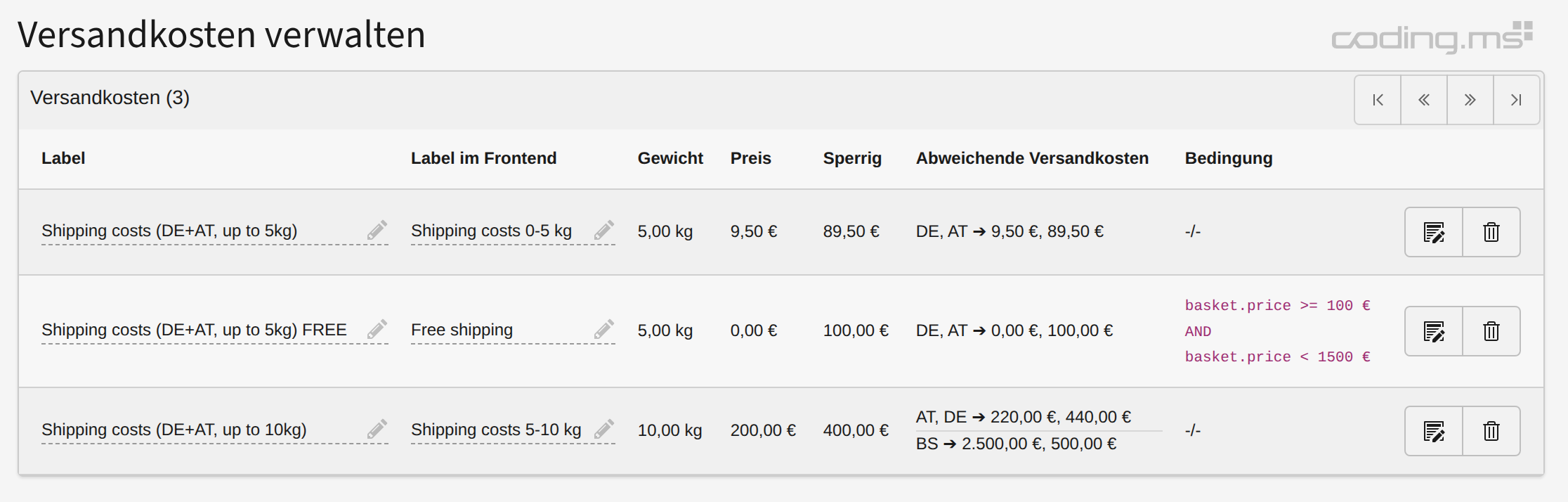
The logic in detail:
- Each product has a field in which its weight can be specified and a checkbox that can be used to indicate whether a product is bulky or not (i.e. additional costs may apply for delivery).
- The weights of all products contained in the basket order are now added up - this is the total weight.
- If at least one product in the shopping cart is marked as bulky, the bulky flat rate will be added to the shipping costs.
- Now several shipping cost data sets can be created, for example up to 2 kg -> 2 €, up to 10 kg -> 10 €, etc.
- The shipping cost data set that comes closest to the weight of the shopping cart (next higher!) is now determined in the checkout.
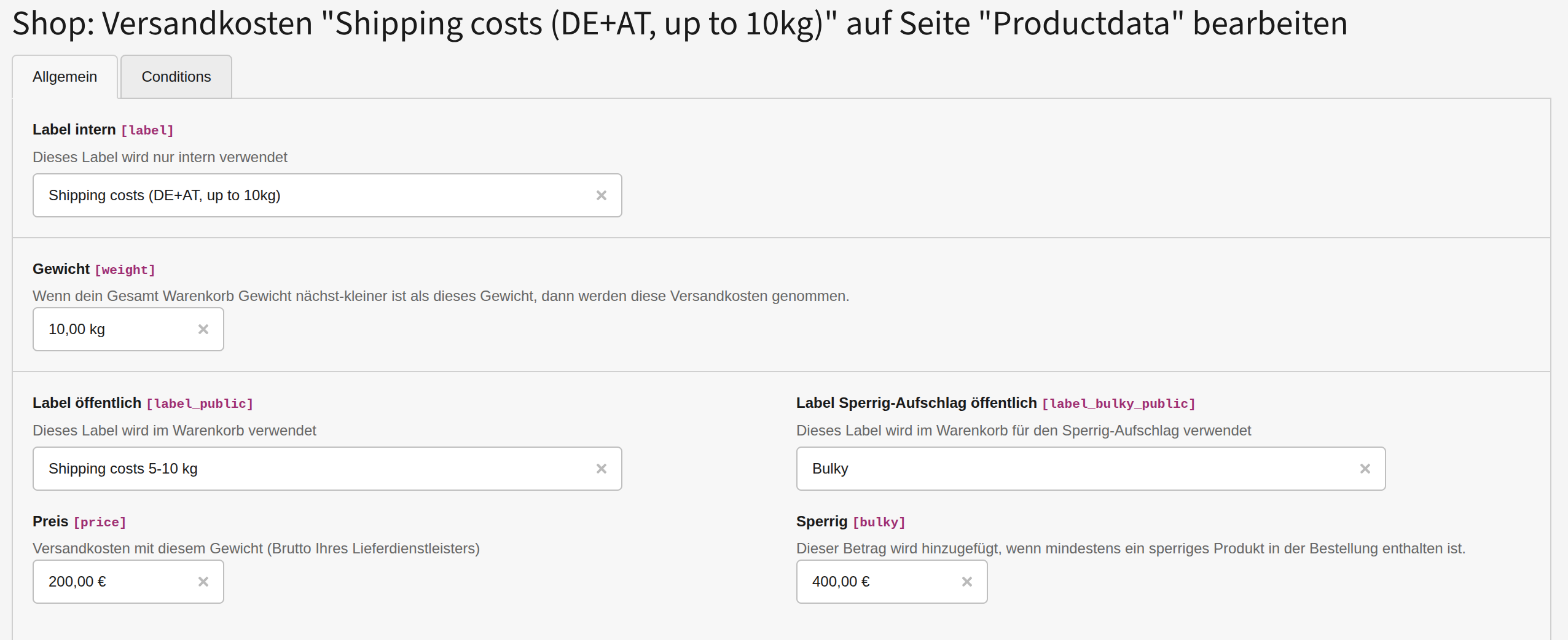
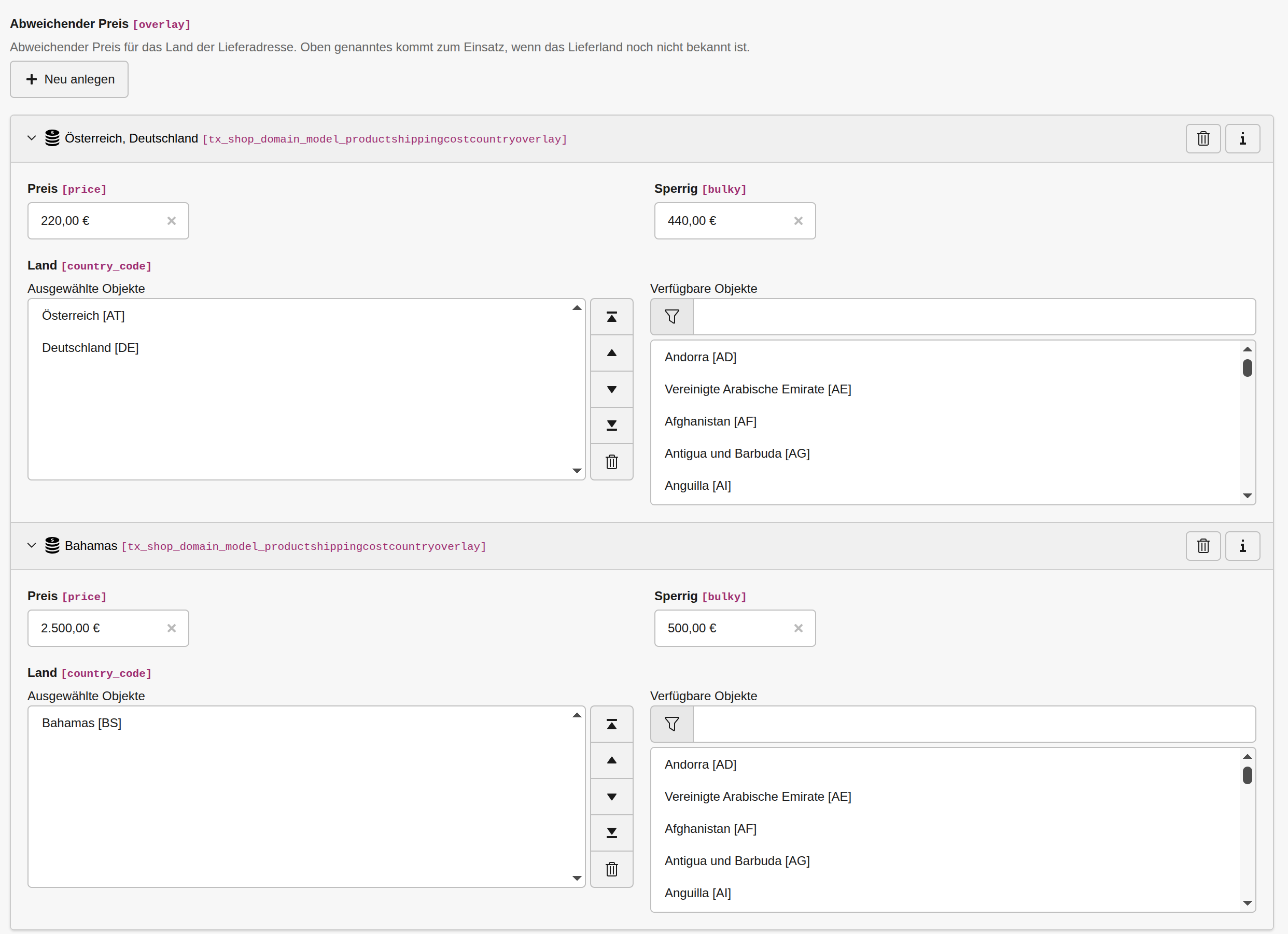
- If you need different shipping costs in a specific delivery country, simply create an overlay with the country code. The values in your main data set are only used if the delivery country has not yet been determined. For example, in the shopping cart before the visitor has entered their address details.
- If a delivery country is specified in the checkout for which there is no overlay, an order is not possible and a corresponding message is displayed.
- If you want to limit the selection of available countries, you can use the setting
themes.configuration.extension.modules.country.limitToIsoCodes = de,at,nl,ch,fr, which is provided with the EXT:modules.
Conditions on shipping costs
Since version 5.15.0 you are able to define conditions on shipping costs. This requires the add-on EXT:shop_shipping.
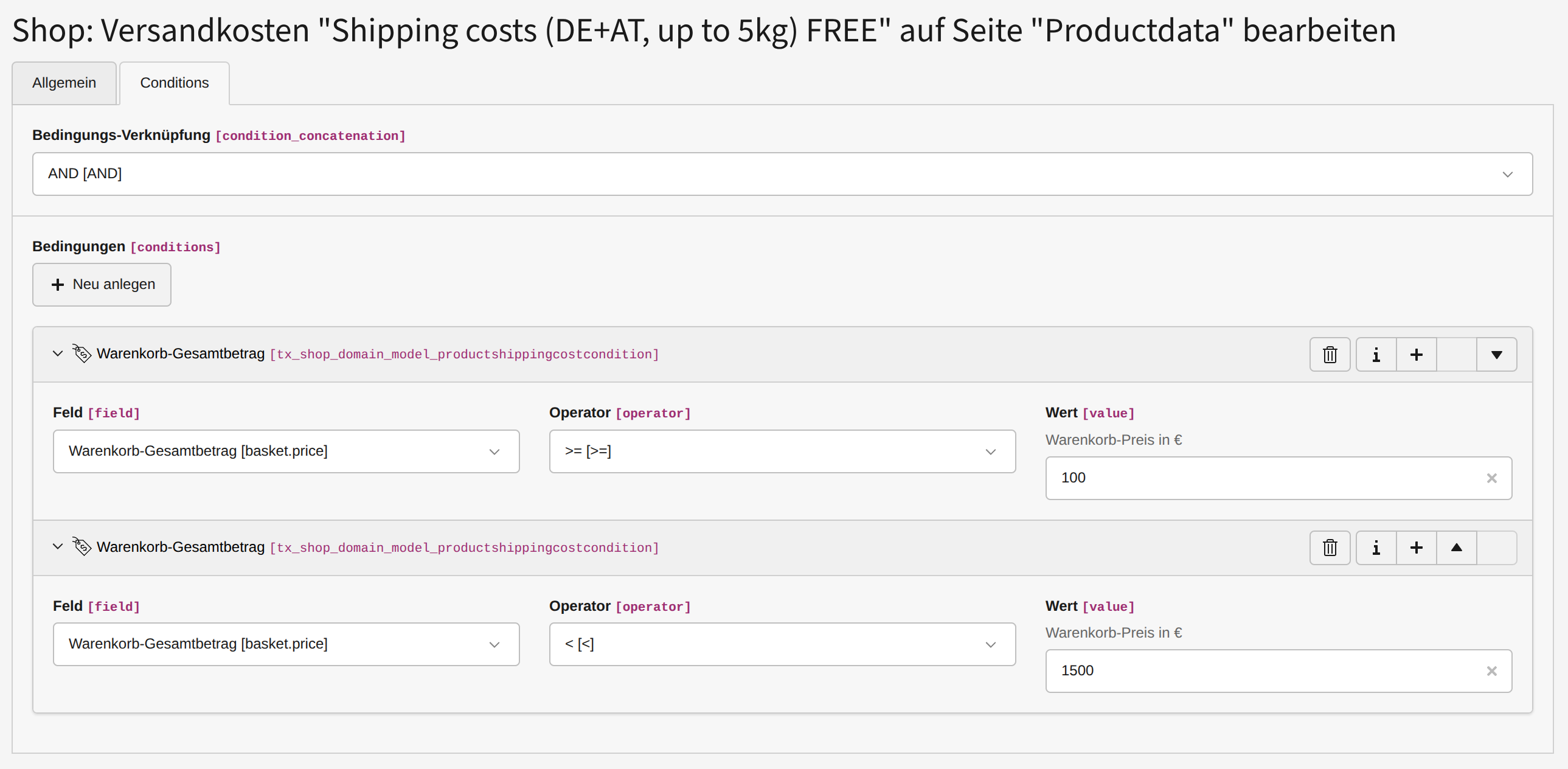
This means you're able to define on each shipping-cost record multiple conditions like:
| Field | Operator | Desciption |
|---|---|---|
| basket.price | ><>=<= |
Basket has a total price of |
| frontendUser.hasGroup | Logged in user has a user-group assigned | |
| basketOrder.vatId | Basket order has VAT number assigned | |
| basket.quantity | ><>=<= |
Basket has a total amount of products* |
| basket.bukly | truefalse |
Basket contains a bulky product* |
| frontendUser.isLoggedIn | truefalse |
Logged in user has a user-group assigned* |
* This is not implemented yet – feel free to request it!
The conditions can concatenated with an AND, this means that all conditions must be met for the shipping-cost record to be applied. Optionally they can be concatenated with an OR concatenation, this means that at least one condition must be met for the shipping-cost record to be applied.
The logic with conditional shipping-costs is, that they are processed first. If a shipping-cost with a condition fits, it will be applied. Otherwise the regular shipping-cost will be applied.
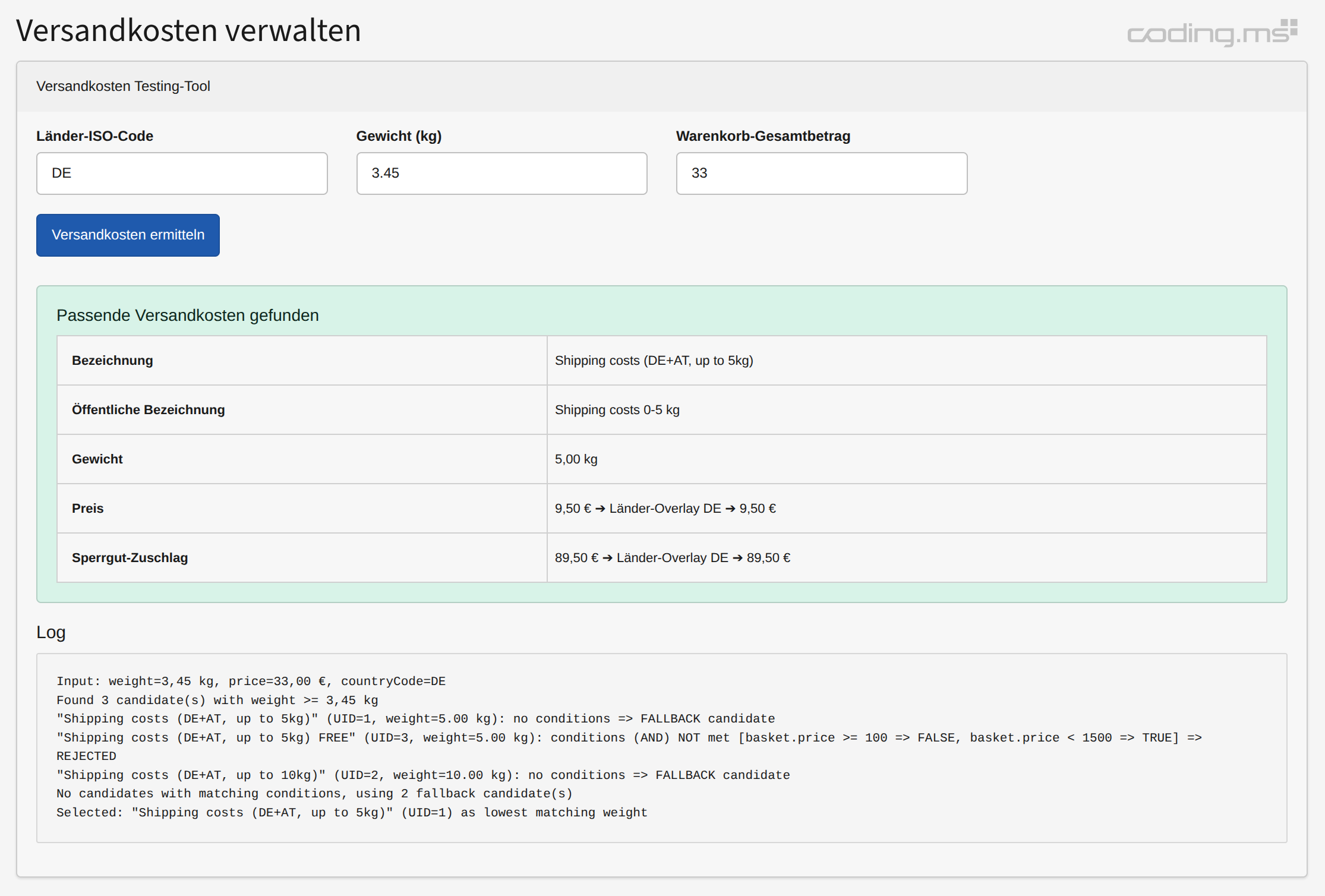
If you want to test your configuration you can use our Testing-Tool in the backend.
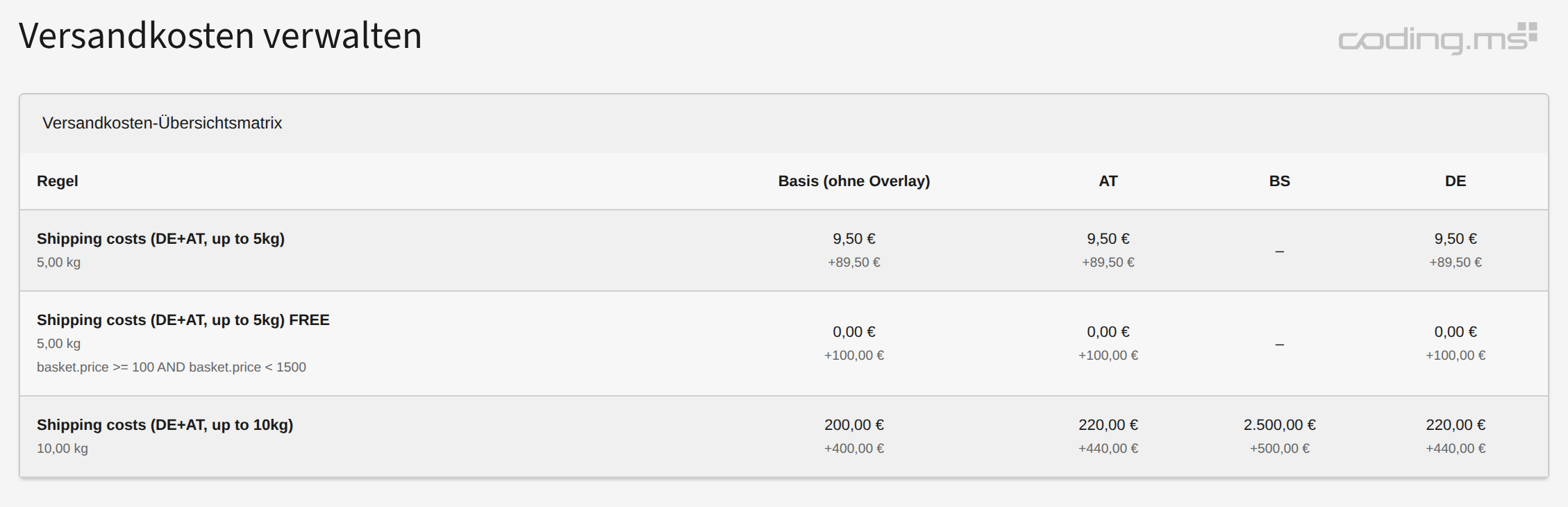
If you need an overview about the shipping-costs to check if you're providing for each required country, you can use our shipping-costs matrix in the backend.

TYPO3 Shop by coding.ms
An extensive shop for TYPO3 for realizing Webshops, Online-Shops or Payment-Subscriptions, comparable with tt_products, Cart or Aimeos. It includes PayPal, PayPal-Checkout, Klarna, Stripe, Bookmarks, UPS-API, invoice generation, a backend module, compare feature, graduated prices, plus product variants, filters, and tax and shipping logic for practical shop operations.